
AI Experiments
I’m exploring how AI can help bring concepts and ideas to life while improving digital experiences and products.
I’m especially drawn to emotion, interaction, and motion design, and the power these experiences have to connect with people on a deeper level, so this is where I continue experimenting in animation, motion, and immersive interactions.
(Most recent experiments posted closer to the top.)
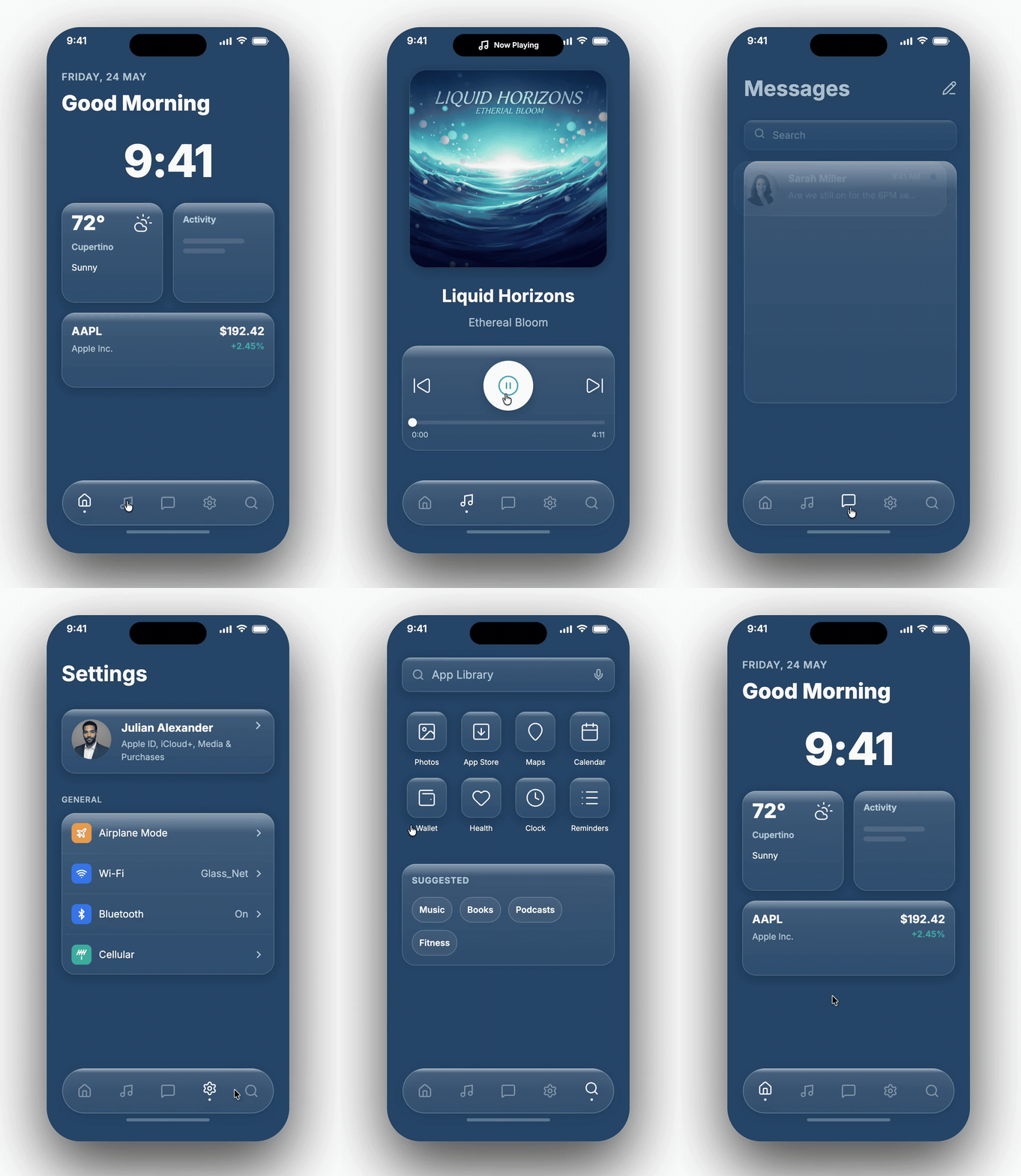
Animating Clickable Working Prototype > Figma AI Agent + Figma Make
Continuing with screens from Figma Agent > imported to Figma Make
For now, looks like there are no prototyping capabilities yet in Figma design’s Agent, so I’m using Fig Make.
I created animations and motion when navigating through each screen.
Corrected the music player logic to make sense > got the time to count up on the left while the time counts down on the right.
Cleaning up after Figma AI Agent
Continuing to play with the new Figma Agent feature that was just released.
I started with my design system and wanted to translate them into iOS liquid glass.
Next, I created a series of screens but the details were off so here I am cleaning things up - centering the icons in the buttons.
(Videos are larger on desktop)
Experimenting: Design Systems via Figma AI Agent
Trying out the new Figma Agent feature that was just released.
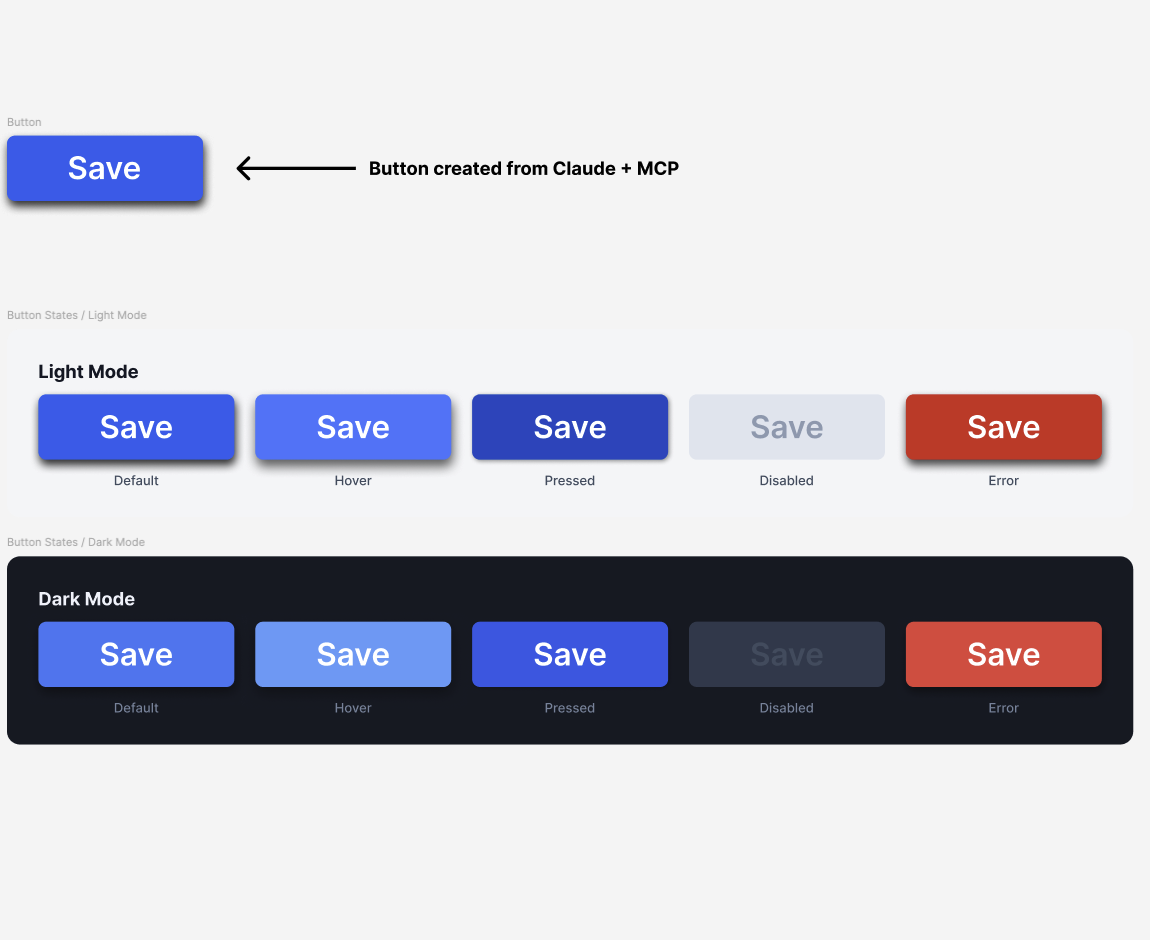
Here, I started with a blue button I created with Claude Code -
created the different states, then
created the light & dark mode sets
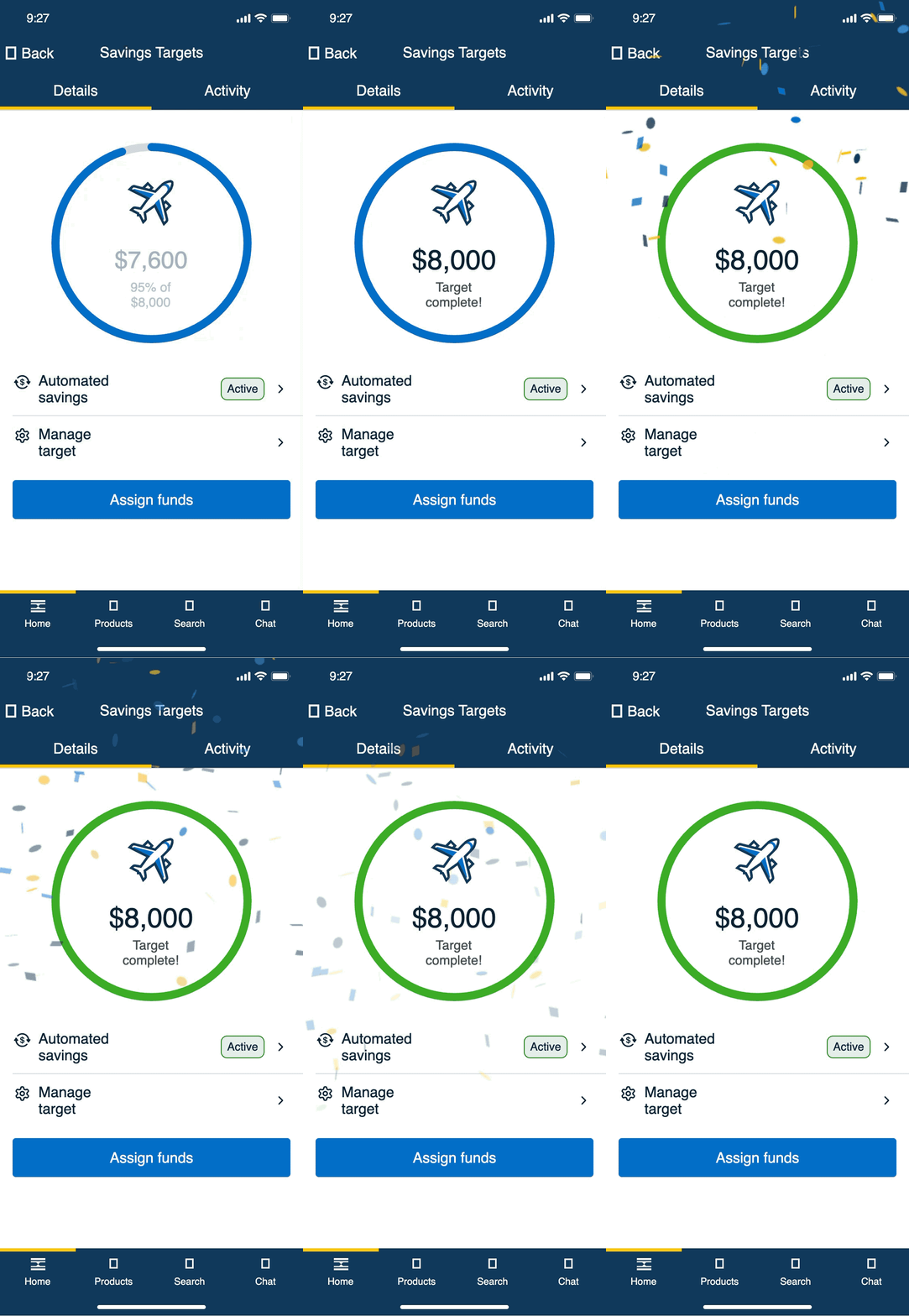
Changing Confetti Colors
Changing the direction and movement of the confetti.
Changing the confetti colors to company brand colors.
Iterated 7 prompts to aimate the bar to fully complete, transition the blue to green bar, and change the colors of the confetti to the company’s brand palette.
Approx. 3 hours not counting the screens were originally designed in Figma.
Animating w AI Tools
Trying out more animations and testing the motion capabilities and making Pika smile and emote a bit with some “bounce.”
Still need more work.


I sped up Pika’s blinking and tried it in Figma Make to compare.
Thoughts:
It was faster to create and tweak, but I wonder if it’s because I created Pika in Figma that impacted the output speed.

As I was experimenting and building a design system, PIKA, from scratch in Figma, then built an AI companion chat app.
I used the static PNG logo, Pika, and animated it in Claude. It turned out OK, but I’m going to keep iterating.